Azure Policy Governance at Scale: Initiatives, Exemptions, and Remediation · CloudEngineerHub
Azure10 min read5 views
Azure Policy Governance at Scale: Initiatives, Exemptions, and Remediation
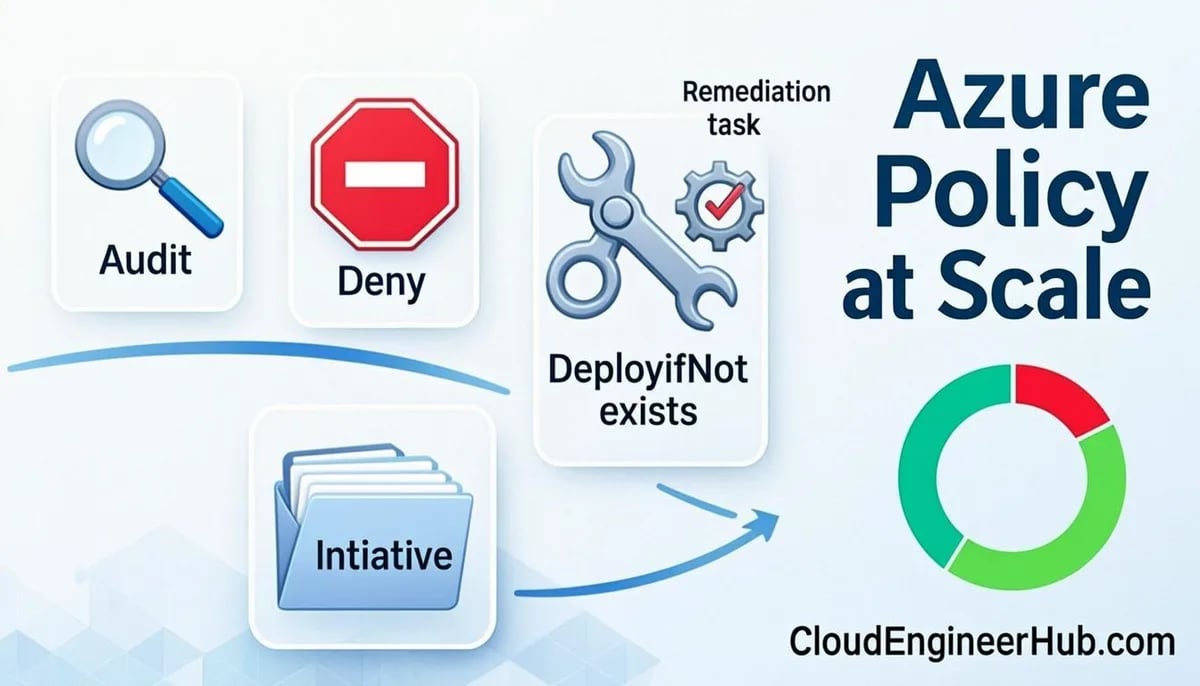
Master Azure Policy at enterprise scale: initiative design, Audit-to-Deny rollout, time-boxed exemptions, DINE remediation with managed identities, and compliance reporting.
C
CloudEngineerHub Team
Published: September 1, 2026· Last Updated: September 24, 2026·10 min read
Azure Policy Governance at Scale: Initiatives, Exemptions, and Remediation
Manual configuration review dies somewhere around fifty resources. Azure Policy replaces it with declarative guardrails evaluated by the platform itself — but only if you understand the moving parts: definitions, initiatives, assignments, exemptions, and remediation. Get these five right and governance scales to ten thousand resources without a single spreadsheet. This guide covers the evaluation engine, a rollout sequence that survives contact with production teams, the PowerShell automation, and the failure modes that sink governance programs.
Visual Walkthrough
How a policy definition becomes a deny, an audit trail, and a fix task.
C
CloudEngineerHub Team
Author
The CloudEngineerHub editorial team — Microsoft endpoint management and cloud engineers writing hands-on guides on Intune, Azure, Entra ID, Autopilot, Defender and PowerShell. Every article is reviewed against current Microsoft documentation.
Related definitions group into an initiative for assignment.
assign
3
Assignment at scope
Assigned at MG or subscription; exemptions documented.
evaluate
4
Compliance evaluated
Resources scanned; state lands in compliance dashboard.
remediate
5
Remediation task
deployIfNotExists/modify fixes existing resources at scale.
6
Re-evaluation cycle
Continuous loop keeps new and existing resources aligned.
Continuous cycle
Azure Policy — Definition to Remediation Loop. 1. Definition authored: Effect set: deny, audit, append, deployIfNotExists, modify. — 2. Initiative bundles: Related definitions group into an initiative for assignment. — 3. Assignment at scope: Assigned at MG or subscription; exemptions documented. — 4. Compliance evaluated: Resources scanned; state lands in compliance dashboard. — 5. Remediation task: deployIfNotExists/modify fixes existing resources at scale. — 6. Re-evaluation cycle: Continuous loop keeps new and existing resources aligned.
Prerequisites
Before assigning anything, make sure the foundation is deliberate:
A management group hierarchy — root, platform, landing zones — designed before the first assignment, because assignments inherit downward and cleanups get harder every week.
Permissions: Resource Policy Contributor to author definitions, and Owner (or Resource Policy Contributor plus managed identity operator rights) at the target scope, because DeployIfNotExists assignments need a managed identity and a role assignment.
Azure CLI or the Az PowerShell module from a machine that can reach ARM.
An exemption process with named approvers — decide this before your first Deny, not after a blocked release.
A Log Analytics workspace if you want compliance state streamed for dashboards and audit evidence.
How Azure Policy Works
Every assignment is a rule bound to a scope. ARM evaluates policies at three moments: create and update requests are checked inline (a Deny can stop a deployment before a resource exists), a scheduled compliance scan re-evaluates the whole estate roughly every 24 hours, and Resource Graph queries or remediation tasks can trigger evaluation on demand. Effects decide what happens: Deny blocks, Audit records non-compliance, Append and Modify add or change properties, and DeployIfNotExists (DINE) / Modify actively repair resources using the assignment's managed identity. That identity gets role assignments at assignment time; if the permissions are wrong, the assignment still shows healthy and only the remediation fails — a classic trap.
Definitions, Initiatives, Assignments
Anchor governance in a deliberate management group hierarchy — a root MG with platform and workload children, sometimes a sandbox branch for experiments — because assignments flow downward and exemptions can be carved out per branch without touching siblings. A definition is one if/then rule; an initiative bundles definitions (the built-in Azure Security Benchmark is the canonical example); an assignment binds a definition or initiative to a scope, typically a management group so every child subscription inherits it.
az policy definition create -n require-cost-center-tag --mode Indexed \
--rules cost-tag-rules.json --params cost-tag-params.json
az policy assignment create -g rg-web -n require-cost-center \
--policy require-cost-center-tag \
--params'{"tagName":{"value":"cost-center"}}'# DeployIfNotExists assignments need a managed identity
az policy assignment create -g rg-web -n deploy-log-analytics \
--policy deploy-law-agent \
--mi-system-assigned --location eastus
Start with Audit, watch compliance data for a week, then flip to Deny or DeployIfNotExists. Denying on day one is how governance teams get their policies quietly disabled.
Configuration Deep Dive
Assignments carry more than the rule, and the extra knobs are what make enterprise rollouts survivable:
Enforcement modeDoNotEnforce shadows a Deny assignment — resources stay non-compliant in reporting but nothing is blocked. Pair it with a dated plan to flip to Default.
notScopes carve out resource groups or subscriptions without creating exemptions — right answer for a sandbox branch, wrong answer for one-off exceptions.
Non-compliance messages put a human sentence in the portal error instead of a policy GUID; deployers read them, so write them like an error message, not a legal disclaimer.
Resource selectors and overrides let one initiative behave differently per environment (audit in dev, deny in prod) without duplicating assignments — the clean way to stage a Security Benchmark rollout.
Exemptions, Compliance, and Remediation
Every Deny policy eventually collides with a deployment that must proceed — the deployer sees RequestDisallowedByPolicy, and that error name is the guardrail working as designed. The sanctioned escape hatch is a policy exemption (Waiver or Mitigated category) with an owner and an expiry date, never a deleted assignment:
Compliance evaluation runs on a ~24-hour cycle and on resource changes; remediation tasks then bring existing non-compliant resources into line for DeployIfNotExists and Modify policies — new deployments are fixed automatically, existing fleets need the task. In portal.azure.com, Policy → Compliance shows per-assignment state and Policy → Remediation tracks task progress. To export the non-compliant estate for a report, query Azure Resource Graph directly:
Bash
1
2
az graph query -q"PolicyResources | where properties.complianceState == 'NonCompliant'" \
--first100 --query"data[].{resource:name, state:properties.complianceState}"
Real-World Enterprise Scenario
A 60-subscription tenant adopted the Azure Security Benchmark initiative at the landing-zones intermediate root in three waves. Wave one: Audit only, with compliance exported weekly to the security committee — four weeks, 31% non-compliant, biggest offenders unencrypted storage and missing diagnostics. Wave two: DINE assignments for diagnostic settings into the central Log Analytics workspace, plus remediation tasks run subscription by subscription — six weeks, non-compliance down to 9%. Wave three: Deny for public blob access and untagged resources, with an exemption register (two owners, 90-day expiry, reviewed monthly). The measured outcome that mattered: policy blocked 214 non-compliant deployments in the first quarter after enforcement, every one logged with an exemption request or a fix — evidence the guardrails were doing real work, not theater.
PowerShell Automation for Policy Operations
The Az module covers the full assignment-to-remediation lifecycle; script it instead of clicking per-subscription:
PowerShell
1
2
3
4
5
6
7
8
9
10
11
12
13
14
15
16
17
18
19
20
21
22
23
Connect-AzAccount # browser sign-in; output shows Account, Subscription, Environment = AzureCloud# Audit-first assignment of a built-in policy at management group scope$policy = Get-AzPolicyDefinition |
Where-Object DisplayName -eq'Secure transfer to storage accounts should be enabled'
New-AzPolicyAssignment -Name'require-secure-storage' `
-DisplayName'Require HTTPS for storage accounts' `
-PolicyDefinition$policy `
-Scope'/providers/Microsoft.Management/managementGroups/mg-landing-zones' `
-EnforcementMode Default
# expected: Name require-secure-storage, EnforcementMode Default, PolicySetDefinitionId empty (single policy)# Compliance snapshot for the whole management group
Get-AzPolicyStateSummary -ManagementGroupName'mg-landing-zones' |
Select-Object -ExpandProperty Results
# expected: additionalProperties containing nonCompliantResources / nonCompliantPolicies totals# Remediate an existing non-compliant estate for a DINE assignment
Start-AzPolicyRemediation -Name'rem-diagnostics-wave1' `
-PolicyAssignmentId'/providers/Microsoft.Management/managementGroups/mg-landing-zones/providers/Microsoft.Authorization/policyAssignments/deploy-diagnostics' `
-ResourceDiscoveryMode ReEvaluateCompliance
# expected: ProvisioningState Succeeded; per-resource deployment failures are listed in the task detail
Troubleshooting Policy at Scale
Symptom
Likely Cause
Fix
RequestDisallowedByPolicy on a deployment
Deny assignment at a parent scope the team cannot see
Check Policy → Assignments for inherited Deny; request a time-boxed exemption with an owner
DINE assignment shows compliant, resources not configured
Assignment managed identity lacks role permissions
Add the missing role assignment on the identity; re-run remediation task
Compliance stuck at 0% scanned for a new subscription
First ~24-hour scan has not run
Trigger on-demand scan or run a remediation task in ReEvaluateCompliance mode
Exemption ignored, resource still denied
Expiry date passed or scope narrower than the resource
Verify exemption state in Policy → Exemptions; recreate with corrected scope and expiry
Inspect the task's deployment errors; fix, then rerun remediation for the failed list
Common Errors
RequestDisallowedByPolicy — the intended outcome of a Deny; never work around it by deleting assignments, exempt instead.
The managed identity of the assignment lacks permissions — DINE deployments fail with role-assignment errors; grant the identity explicit roles at a scoped level.
Policy definition with mode 'Indexed' skipped a resource — untagged/resource-manager types without tags need --mode All; know your mode before debugging "why didn't it fire".
Exemption already exists on this scope — one exemption per assignment per scope; consolidate descriptions rather than stacking duplicates.
Visual Walkthrough
Policy, RBAC and cost roll downward — design the stack before workloads.
Layered StackAzure Scope Hierarchy — Inheritance Down the Stack5/5
PerimeterCore asset
1
Management groups
Enterprise agreement topology: platform vs landing zones.
layer 1
2
Subscriptions
Billing + policy boundary; one workload per subscription pattern.
layer 2
3
Resource groups
Lifecycle boundary — deploy, tag, and delete as a unit.
layer 3
4
Resources
VMs, storage, networking — the only layer that serves traffic.
Each layer assumes the previous one failed — depth is the strategy.
Azure Scope Hierarchy — Inheritance Down the Stack. 1. Management groups: Enterprise agreement topology: platform vs landing zones. — 2. Subscriptions: Billing + policy boundary; one workload per subscription pattern. — 3. Resource groups: Lifecycle boundary — deploy, tag, and delete as a unit. — 4. Resources: VMs, storage, networking — the only layer that serves traffic. — 5. Inheritance rule: Everything above flows down; nothing below flows up — design accordingly.
Best Practices
Assign initiatives, not loose definitions — versioning and reporting stay coherent.
Audit → DINE → Deny, each wave with an owner, a date, and a rollback story.
Keep every exemption time-boxed with an owner and review the register monthly.
Automate remediation bursts after each DINE wave; do not wait for the nightly cycle.
Stream compliance state to Log Analytics for trend lines — point-in-time portal screenshots do not prove improvement.
Security Considerations
Policy is a control plane: restrict who can edit definitions and assignments like you restrict RBAC — Global Administrator is not required and should not be used for policy work.
DINE identities are service principals with real permissions; audit their role assignments and never scope them to the tenant root.
Audit-effect initiatives such as the Security Benchmark feed Microsoft Defender for Cloud's secure score — align categories so compliance and security reporting agree.
Watch for policies that disable diagnostics or logging — a Deny on removing diagnostic settings protects your forensic trail.
Key Takeaways
Definition = one rule, initiative = bundle, assignment = binding; assign initiatives at management group scope for inheritance.
Roll out as Audit first, then Deny/DINE — Deny on day one breeds shadow workarounds.
DeployIfNotExists and Modify require a managed identity on the assignment.
Use time-boxed exemptions with owners for exceptions; RequestDisallowedByPolicy means the system worked.
Compliance scans run roughly every 24 hours; run remediation tasks to fix the existing estate.
FAQ
Q: How long until a new assignment shows compliance results?
A: The initial scan can take up to 24 hours for large scopes. For an immediate answer, run a remediation task in ReEvaluateCompliance mode or query Resource Graph, both of which force evaluation of the relevant resources.
Q: Audit or Deny first — which do I actually start with?
A: Audit, always. Audit produces the compliance evidence you need to size the blast radius and negotiate Deny timing with workload teams. Skipping it converts governance into an outage-generator.
Q: What is the difference between an exemption and notScopes?
A: notScopes remove an entire scope (subscription, resource group) from an assignment permanently — structural exclusion. Exemptions are per-resource exceptions with categories, owners, and expiry — governance-grade exceptions. Auditors want exemptions, not silent notScopes.
Q: Why does my DeployIfNotExists assignment say compliant but nothing deployed?
A: Compliance reflects whether the resource matches the rule, not whether remediation succeeded. Check Policy → Remediation for the task and its deployment errors — usually a managed-identity permission gap.
Q: Do remediation tasks run automatically forever?
A: No. Each task is a one-shot batch. After the first pass, new non-compliance appears as resources change; schedule periodic tasks or use Change History and policy-state alerts to trigger reruns.
Conclusion
Azure Policy scales because it is evaluated by the platform, not by a review board — but scale only arrives with discipline: audit first, remediate deliberately, exempt with expiry, and never let a Deny surprise a deployer. Treat the initiative as a product with a roadmap and an owner, and governance stops being the team everyone routes around.


Comments
0No comments yet — be the first to share your thoughts.