Endpoint Privilege Management (EPM): Design and Phased Rollout with Intune · CloudEngineerHub
Intune12 min read5 views
Endpoint Privilege Management (EPM): Design and Phased Rollout with Intune
Strip local admin rights without breaking users: EPM elevation settings and rules, managed installer, and a four-phase rollout plan driven by the EPM elevation report.
C
CloudEngineerHub Team
Published: August 25, 2026· Last Updated: September 24, 2026·12 min read
Endpoint Privilege Management (EPM): Design and Phased Rollout
Removing standing local admin rights is the highest-value hardening move on Windows — and historically the fastest way to break your users. Endpoint Privilege Management (EPM), part of the Microsoft Intune Suite, lets you strip admin rights while still allowing users to elevate specific, validated applications. The product is easy to enable and easy to misuse; a deliberate design and phased rollout are what separate success from a helpdesk mutiny.
Visual Walkthrough
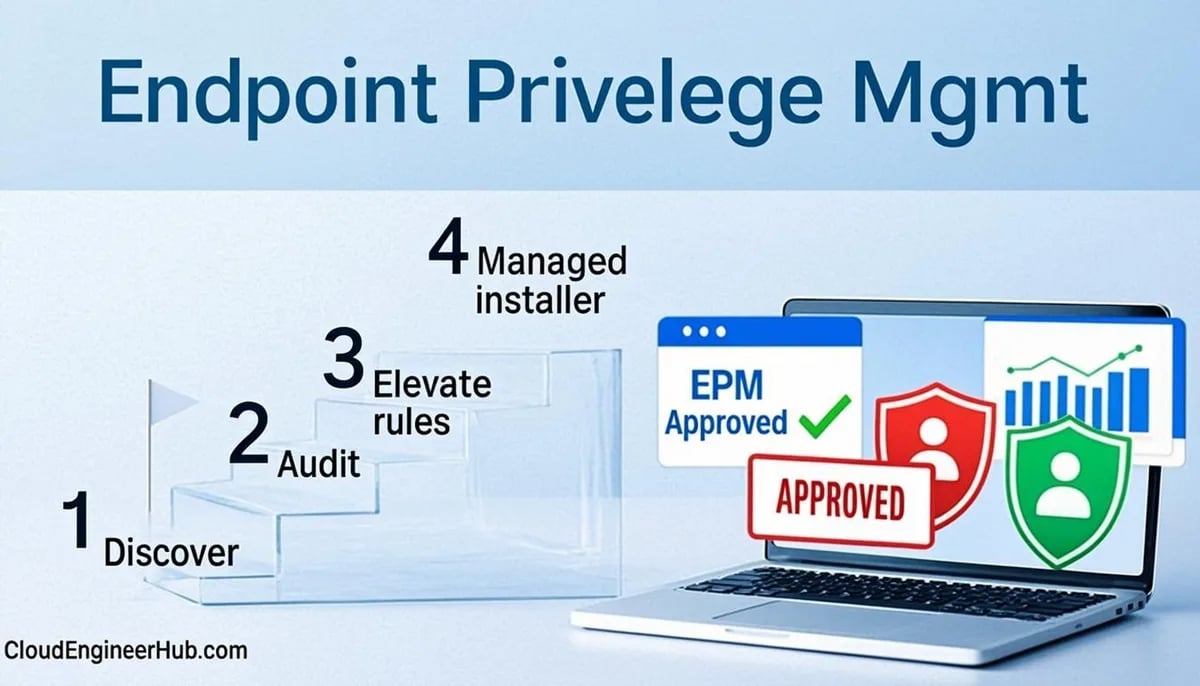
The phased path that removes admin rights without breaking users.
C
CloudEngineerHub Team
Author
The CloudEngineerHub editorial team — Microsoft endpoint management and cloud engineers writing hands-on guides on Intune, Azure, Entra ID, Autopilot, Defender and PowerShell. Every article is reviewed against current Microsoft documentation.
TimelineEPM Rollout — Report-Only to Least Privilege5/5
phase 1
1
Report-only policy
Elevation attempts logged for weeks — no prompts yet.
phase 2
2
Analyze evidence
Which apps truly need elevation? Owners identified.
phase 3
3
Elevation rules authored
File hash/publisher rules with business justification.
phase 4
4
User elevation experience
Managed elevators prompt with justification.
phase 5
5
Admin rights removed
Users drop from local admins; EPM covers the gap.
EPM Rollout — Report-Only to Least Privilege. 1. Report-only policy: Elevation attempts logged for weeks — no prompts yet. — 2. Analyze evidence: Which apps truly need elevation? Owners identified. — 3. Elevation rules authored: File hash/publisher rules with business justification. — 4. User elevation experience: Managed elevators prompt with justification. — 5. Admin rights removed: Users drop from local admins; EPM covers the gap.
Prerequisites
Licensing: EPM is an Intune Suite add-on (or included in Intune Plan 2) — confirm entitlement before policy design.
Windows: supported Windows 10/11 editions with the EPM agent, which Intune installs automatically when the elevation settings policy targets the device.
RBAC: policy authoring under Endpoint security → Endpoint Privilege Management; delegate rule authoring to app owners after phase 2.
An app inventory: know your top 20 elevation-heavy apps before authoring rules — the EPM report will validate or replace your guesses.
A removal plan for local admin: a settings catalog Local user group membership policy that takes Administrators membership away, sequenced after EPM policies land.
The Policy Model in Intune
Everything lives at intune.microsoft.com → Endpoint Privilege Management → Policies, in two flavors:
Windows elevation settings — the per-device default posture. Default elevation response options are Do not elevate (deny the request but log it), Require user confirmation, and Require elevation credentials (the user must supply an admin account's credentials). This policy is also where you enable the managed installer, which tags binaries installed by EPM-elevated processes so App Control can trust them later — the bridge to your WDAC strategy.
Windows elevation rules — per-file grants. Validation can be file hash (exact binary), certificate/publisher (version-flexible for signed ISV installers), or file attributes (name, version, product). Each rule elevates automatically or after user confirmation, with an optional business-justification prompt that feeds the audit trail.
How EPM Works Under the Hood
When a standard user launches an installer that demands elevation, Windows raises the UAC prompt; with EPM deployed, the EPM agent intercepts that request, checks it against your elevation rules, and — if a rule matches — creates a signed elevation context for that single process instead of handing the user an admin session. The child process inherits the elevation; the user never receives credentials or group membership. Every decision (allowed, denied, prompted) is reported to the EPM report in Intune, which is why the report becomes your requirements document rather than an afterthought. Managed installer extends the model: executables installed by an EPM-elevated process are tagged with provenance, and App Control policies can then allow them automatically — closing the classic "admin rights removed but nothing can install" gap.
Configuration Deep Dive: Choosing Rule Validation Wisely
Rule inputs are easy to gather locally before authoring:
PowerShell
1
2
3
4
5
6
$exe = 'C:\Program Files\Contoso\Setup\ContosoSetup.exe'
Get-AuthenticodeSignature $exe |
  Select-Object Status, @{n='Signer';e={$_.SignerCertificate.Subject}}
(Get-FileHash $exe -Algorithm SHA256).Hash
(Get-Item $exe).VersionInfo | Select-Object ProductName, FileVersion
# Expected output: signature status 'Valid' + signer subject, a SHA256 hash, and product/file version metadata
Decision guidance: publisher/certificate rules for signed ISV installers (they survive version updates without policy churn), hash rules for in-house tools and scripts (precise, but every rebuild needs a new rule), and file attributes only as a fallback (name/version matching is spoofable, so treat attribute rules as phase-1 scaffolding you retire). Set the elevation behavior to automatic only for high-trust, low-risk installers; user confirmation with business justification keeps a paper trail for everything else. Keep the default elevation response at Require user confirmation during rollout — it teaches users the prompt means "validated path" and generates the report data you need.
Manage the policy estate via Graph — EPM policies are settings catalog policies, so a filtered listing keeps drift visible:
PowerShell
1
2
3
4
5
Connect-MgGraph -Scopes"DeviceManagementConfiguration.Read.All"# EPM elevation settings and rules are settings catalog policies — list the EPM ones$pol = (Invoke-MgGraphRequest -Method GET -Uri'https://graph.microsoft.com/beta/deviceManagement/configurationPolicies').value
$pol | Where-Object { $_.name -match'EPM|elevation' } | Select-Object name, platforms, isAssigned
# Expected output: your elevation settings/rules policies with platform 'windows' and assignment state
A Phased Rollout That Doesn't Ignite the Helpdesk
Phase 0 — Baseline. Inventory who currently holds local admin from Entra and Intune reports, and plan removal via a settings catalog Local user group membership policy. Sequence matters: EPM policies must already be assigned to the same ring before you remove the rights, so users have a safety net on day one.
Phase 1 — Monitor with confirmation. Set the default elevation response to Require user confirmation and ship hash rules for the two or three apps you know break without elevation. For two to four weeks, watch Reports → Endpoint Privilege Management, which surfaces elevation requests by file, user, and device — that report is your true application-need inventory, straight from reality instead of a survey.
Phase 2 — Codify. Convert the noisiest legitimate requests into rules: publisher-cert rules for signed ISV installers (they survive version updates), hash rules for in-house tools. Promote stable, trusted installers to automatic elevation so routine setups never prompt.
Phase 3 — Tighten. Move the default response to Do not elevate, institute quarterly rule reviews with an owner, and pair managed installer with App Control so approved installs remain allowed without manual policy churn. From here, EPM becomes routine governance rather than a project.
Real-World Enterprise Scenario: 1,800 Developers Without Admin Rights
A fintech with 1,800 engineering workstations was the classic "you can't take our admin rights" culture. The endpoint team ran the four phases against a 200-seat pilot: phase 1 surfaced 46 distinct elevation sources in the report, phase 2 converted 31 into rules (9 publisher, 22 hash), and the remaining 15 were identified as shadow tooling and retired. Developers kept a self-service path for validated installers with automatic elevation; everything else produced a logged justification. Local admin removal rolled out by ring over six weeks with a 2% ticket rate — and the security team finally retired the "developers need admin" exception from the risk register.
Troubleshooting
Symptom
Likely cause
Fix
UAC prompts instead of EPM elevation
Elevation settings policy not applied, or agent not installed
Verify policy assignment and device check-in; confirm the EPM agent service is running
Rule matches locally but not in production
Wrong hash (file rebuilt) or publisher mismatch
Re-gather inputs with the hash/signature block above; prefer publisher rules for ISVs
Installer still fails after elevation
The setup launches non-elevated child processes
Test the scenario; adjust rule scope or wrap the launcher per vendor guidance
EPM report empty
No elevation events or report lag
Generate a test elevation, wait for report refresh, confirm the device is targeted
Users complain about credential prompts
Default response set to Require elevation credentials
Switch to Require user confirmation during rollout; reserve credential mode for high-risk rings
Common Errors
Assigning rules before settings policy — rules without the elevation settings policy (and managed installer) behave inconsistently; deploy settings first.
Hash rules for frequently updated tools — every patch breaks the rule; switch those to publisher validation.
Removing local admin in the same change as EPM deployment — sequence it, ring by ring, or the helpdesk inherits a day-one fire.
"Deny everything" from day one — without phase-1 report data you codify guesses and generate exceptions for months.
Visual Walkthrough
Why modern credential theft fails: LSASS never holds the secrets.
Each layer assumes the previous one failed — depth is the strategy.
Credential Guard — Isolation Stack. 1. VBS boots the hypervisor: Virtual Secure Mode isolates a protected memory region. — 2. LSASS isolated (LsaIso): Credentials live in the isolated LSA process, not LSASS. — 3. HVCI enforces code integrity: Kernel-mode code must be signed and virtualization-backed. — 4. Theft attempts fail silently: Mimikatz-class tools read nothing usable. — 5. LSA protection audits first: Audit LSA protection, fix incompatibles, then enforce. — 6. Fleet verified: Device Guard/Win11 defaults + policy confirm state.
Best Practices
Let the EPM elevation report write your rules; never author from a requirements spreadsheet alone.
Prefer publisher-certificate validation for ISV software, hash validation for in-house binaries.
Enable managed installer early — it future-proofs your App Control policy for EPM-elevated installs.
Quarterly rule reviews with a named owner; retire attribute-based rules as publisher rules replace them.
Track the report's denied-request trend: a rising denial rate is either shadow IT or a rules gap — investigate either way.
Security Considerations
EPM shrinks the attack surface that standing admin rights create — ransomware and credential theft both struggle without local admin — but the elevation path is a privilege you are granting, not just removing. Keep automatic elevation for a small, reviewed set; require business justification for the rest; and pair EPM with App Control so elevated installs are also policy-allowed binaries. Audit the report for rules being exercised by unexpected users or devices — that pattern is how you catch a validated installer being used as a generic launcher.
FAQ
Is EPM part of core Intune licensing?
No — EPM is an Intune Suite add-on capability (included in Intune Plan 2). Confirm entitlement before you design policies.
Can EPM grant admin rights to a user?
No — it elevates specific processes for validated binaries. The user never receives group membership or credentials, which is the security point.
What is the difference between Do not elevate and blocking UAC?
"Do not elevate" denies the request but logs it in the EPM report, giving you visibility; without EPM you get silent failures or raw UAC prompts.
How does managed installer interact with App Control?
Binaries installed by EPM-elevated processes are tagged with managed-installer provenance; App Control policies can then trust them automatically without new rules.
Do elevation rules apply to PowerShell?
You can author rules for any executable, but elevated PowerShell is inherently broad — most organizations deliberately do not auto-elevate scripting hosts.
Conclusion
EPM turns least-privilege from a support nightmare into a policy exercise — provided you roll out in phases and let the report, not folklore, write the rules. Enable managed installer early, code the noisy paths, tighten to deny-by-default, and keep governance on a calendar. Validate your design skills with /mock practice tests, grab rule-authoring helpers at /tools, and go deeper with the Intune Suite bundles in the /store.


Comments
0No comments yet — be the first to share your thoughts.